

Hover over the down-arrow (▾) in the upper-right corner and click it to open the drop-down menu.
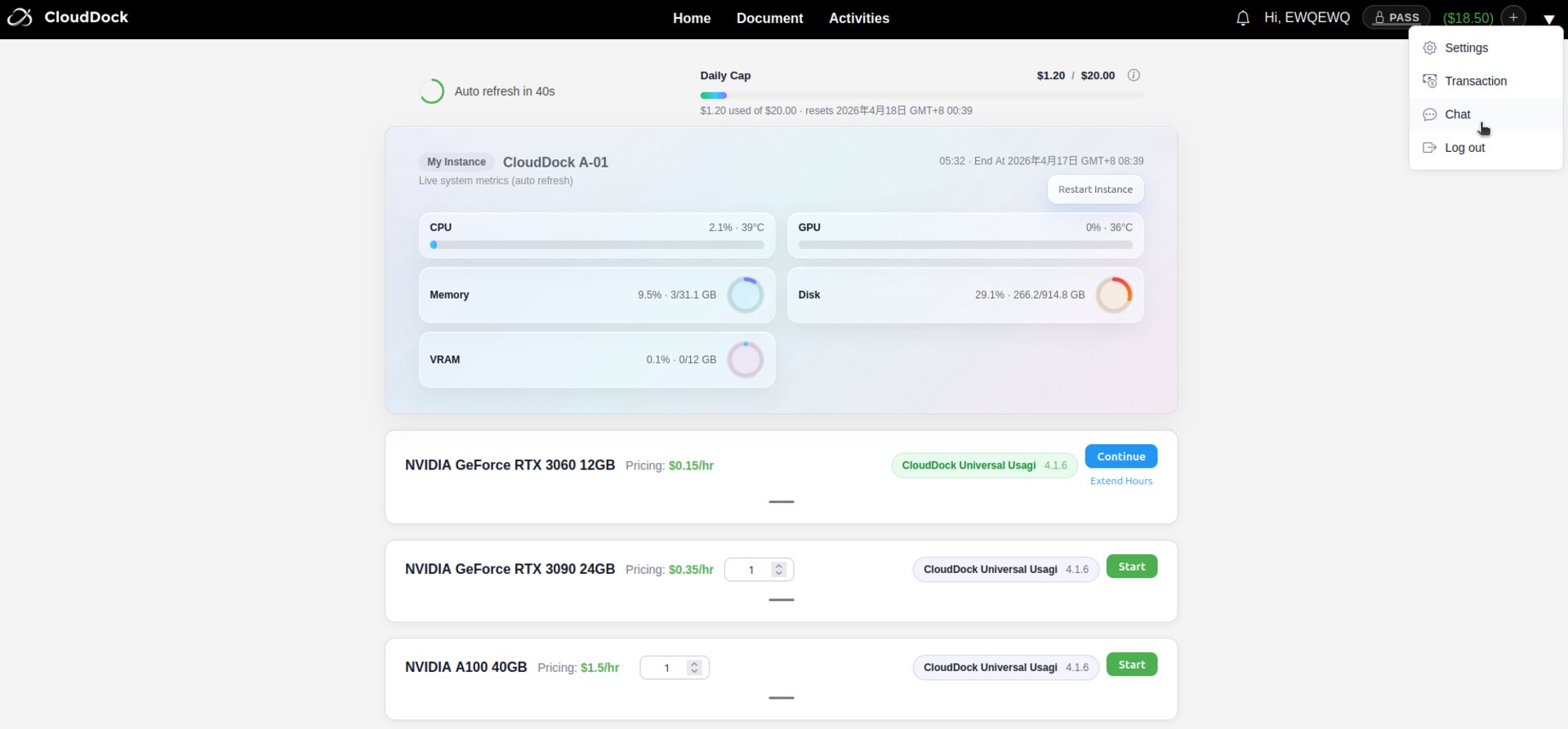
Select "Chat" from the drop-down menu. A customer-service dialogue window will open automatically.
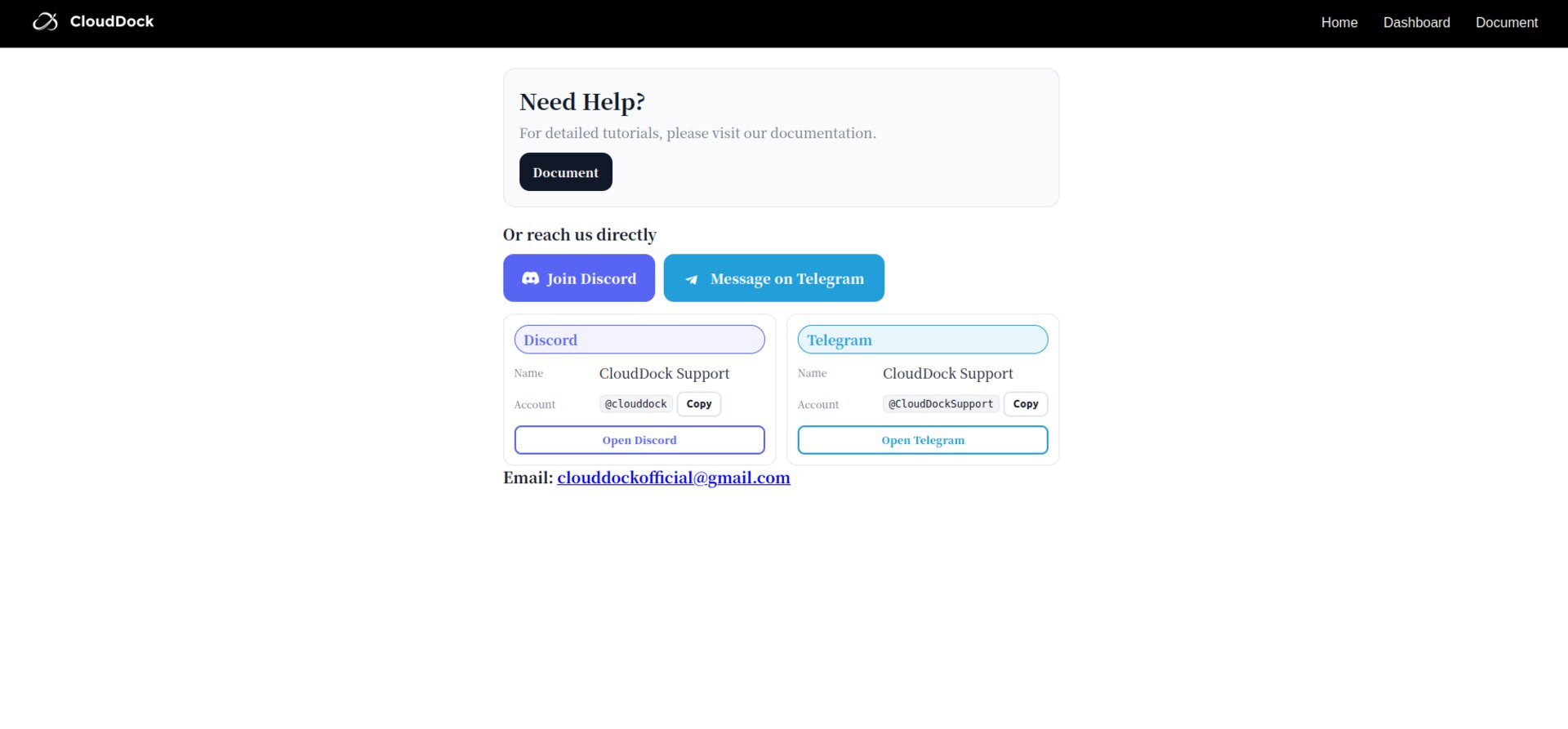
Inside the chat window, pick your preferred contact method (Telegram or Discord). This channel will be saved as your primary contact for future top-ups and account recovery.
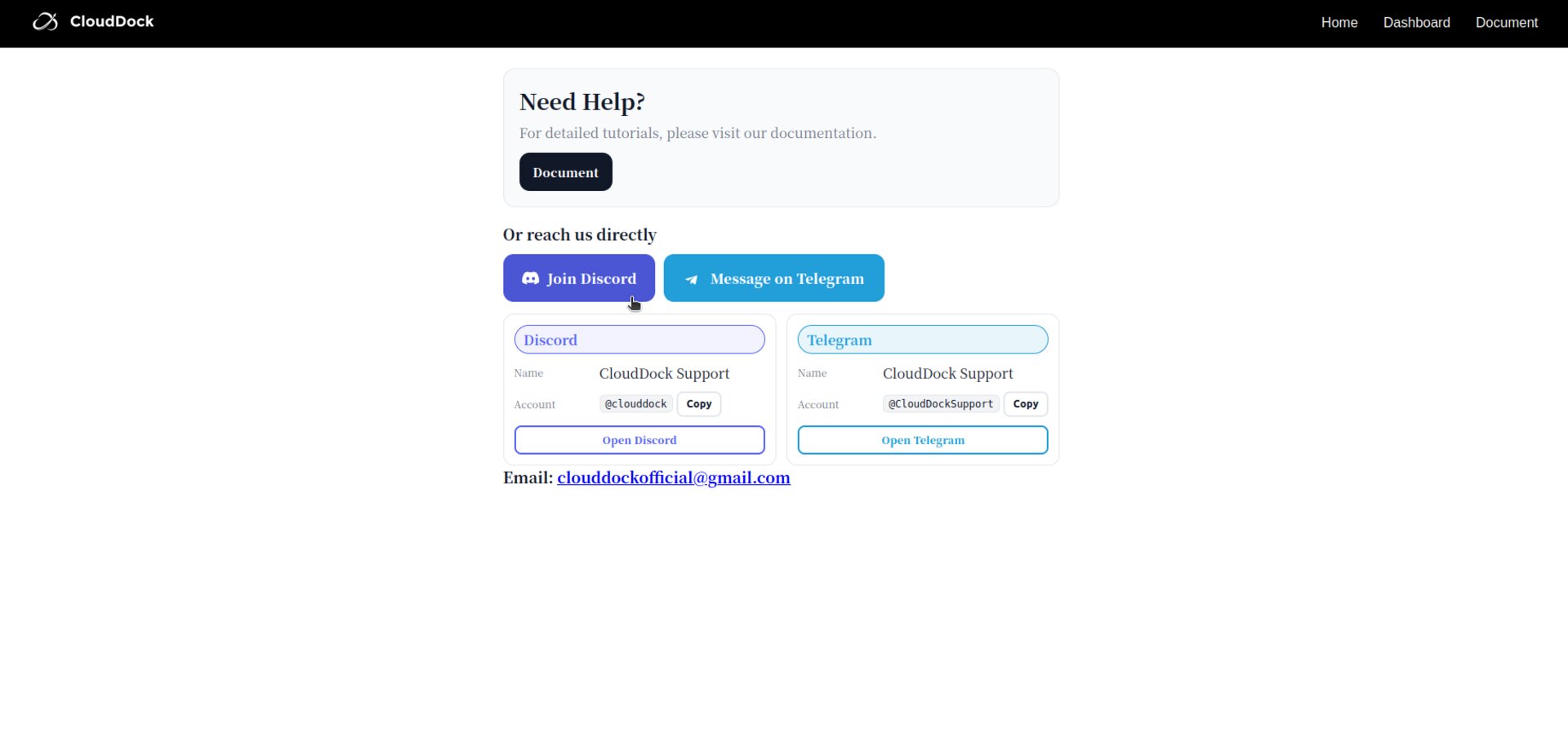
Please follow the customer service instructions and provide information such as User Name, etc.
Our support team will verify your payment and reply as soon as possible. Once verified, the funds will be credited immediately and you will receive a confirmation message containing your previous balance, new balance, and transaction ID.
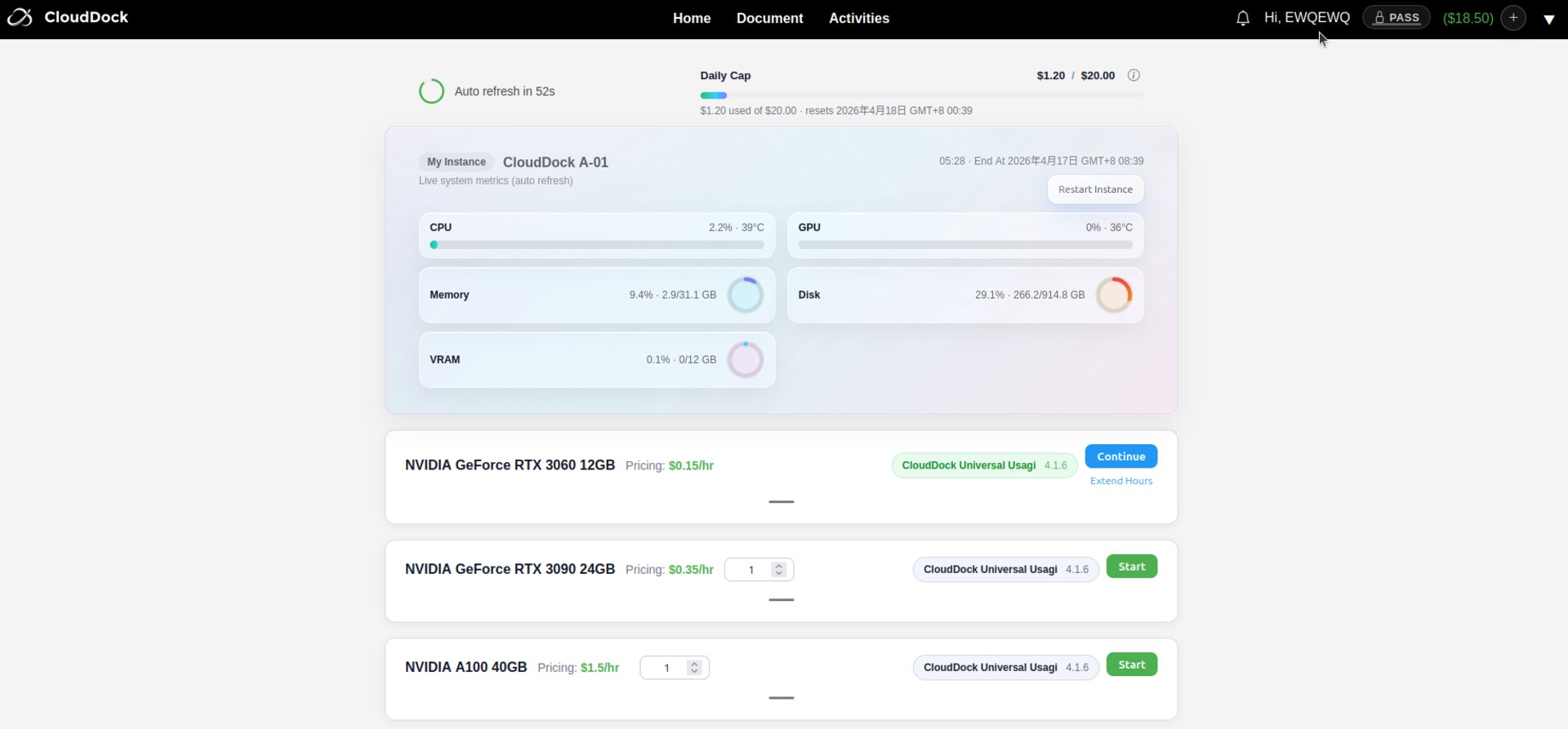
After the funds have been credited, press F5 to refresh the dashboard. Your updated balance will be displayed in the upper-right corner.
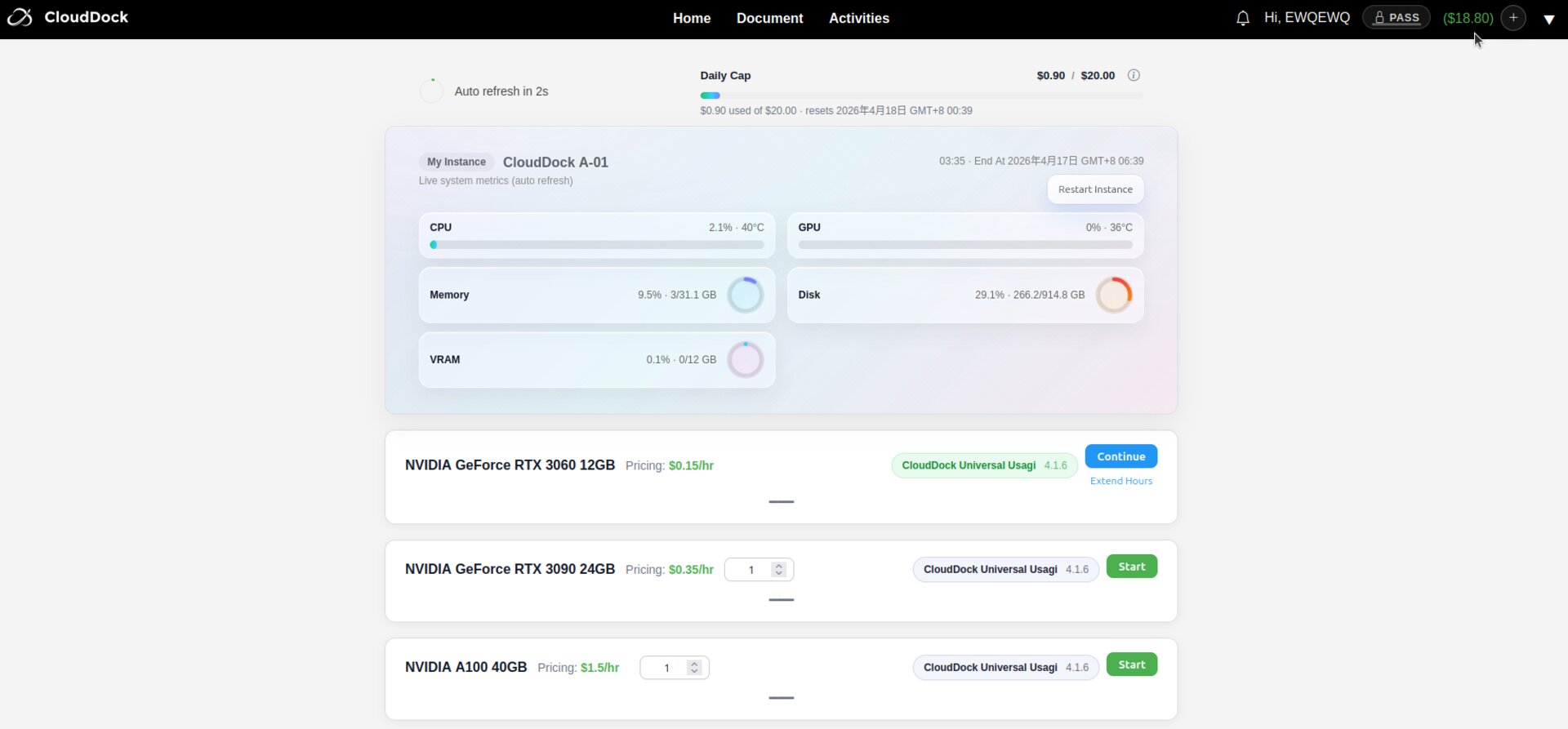
When you need to recharge, please click the plus sign next to your balance.
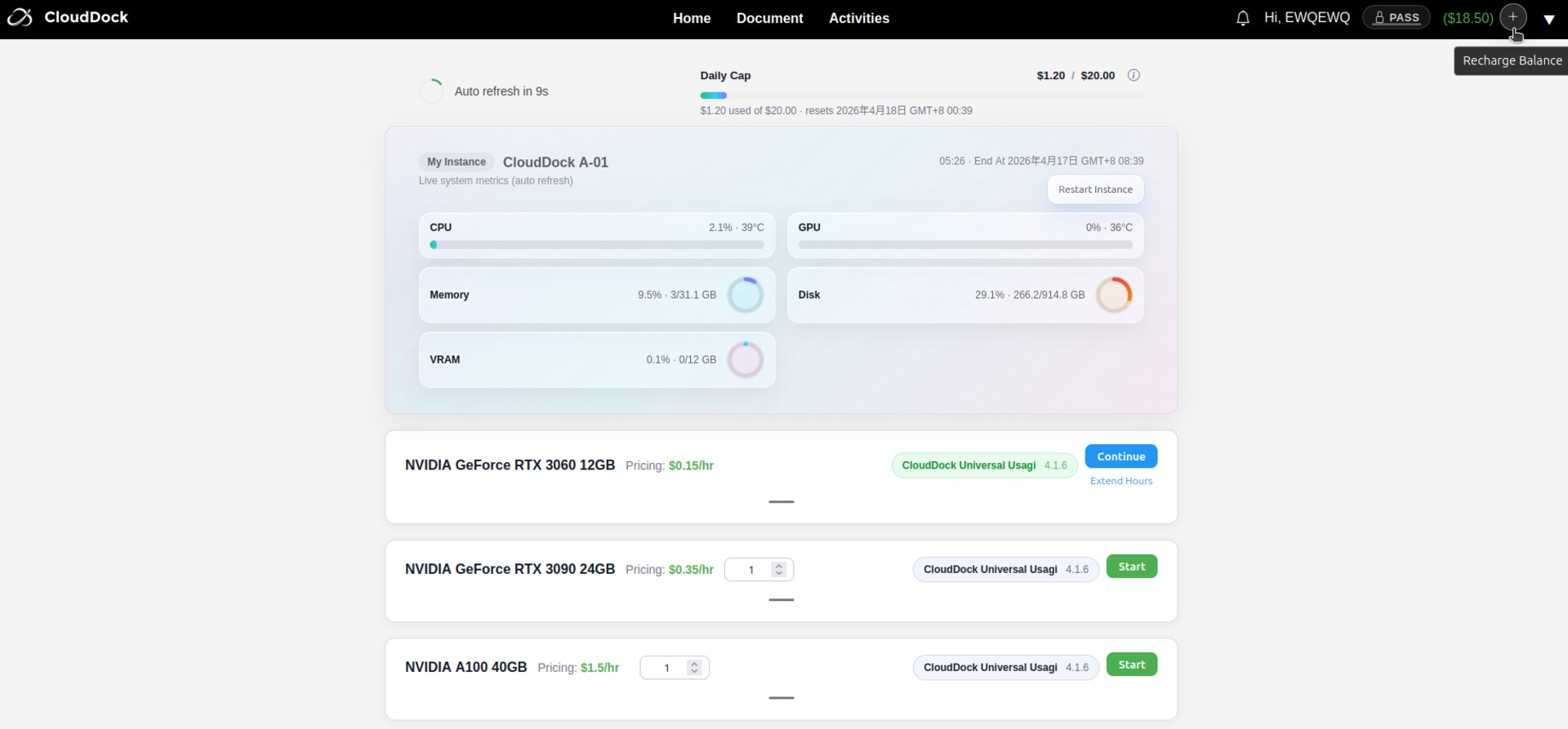
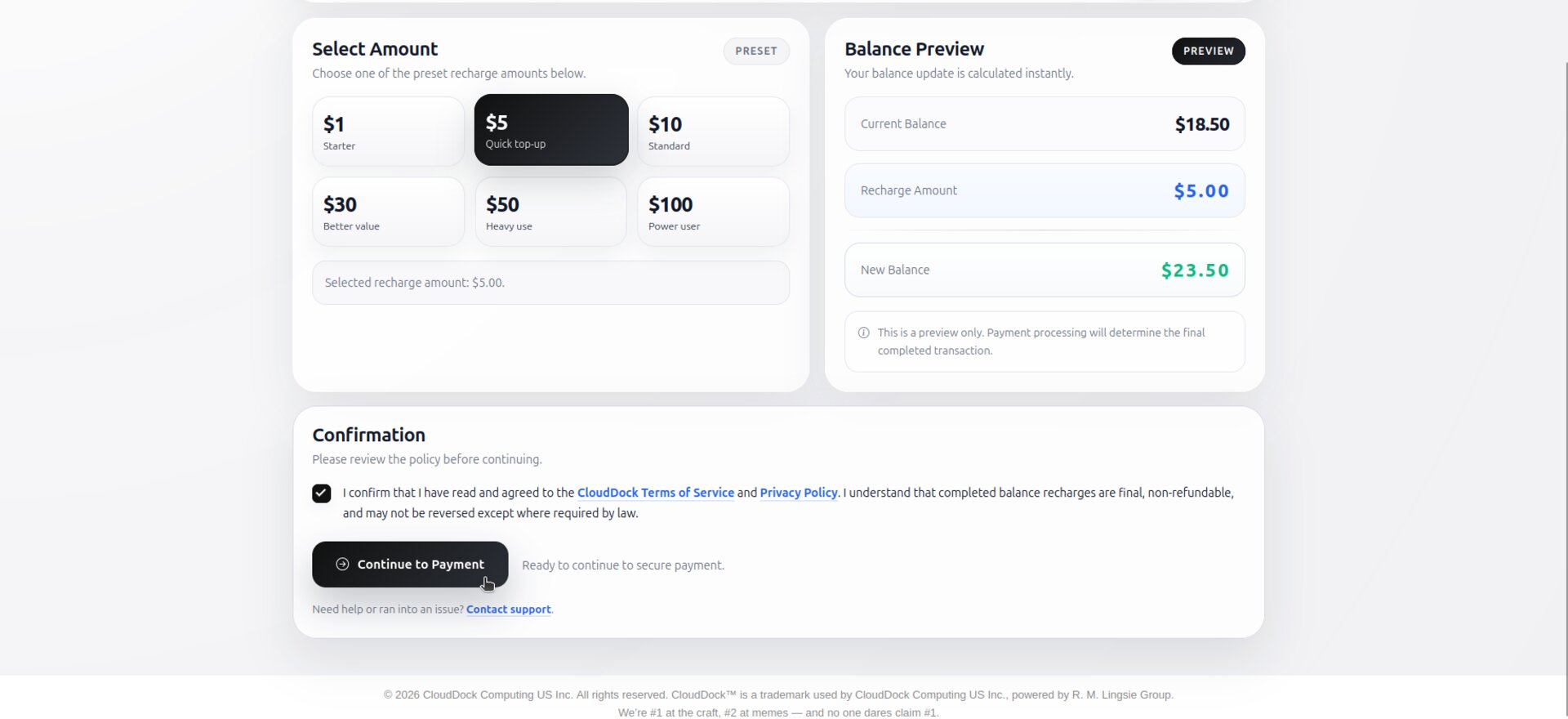
Select the amount you want to recharge.
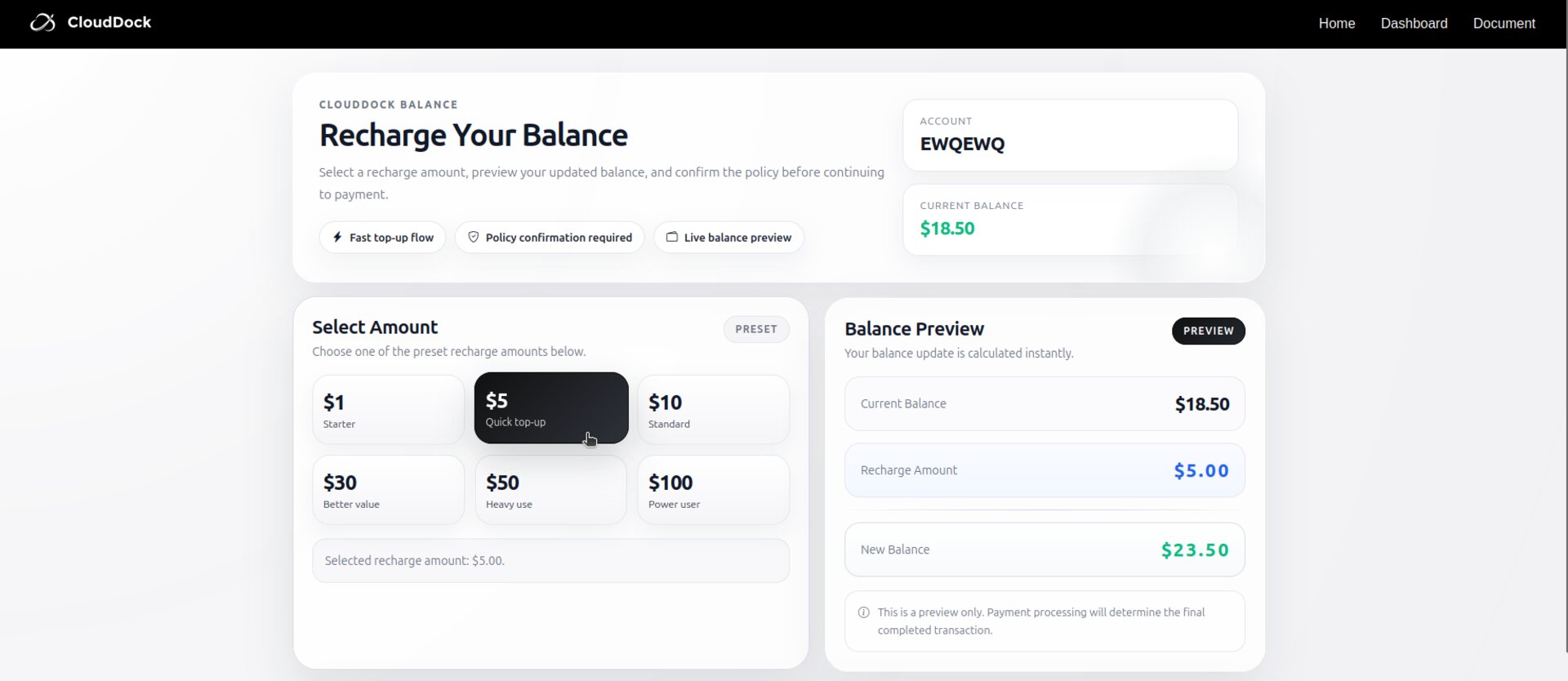
Check to agree to the Terms of Service and Privacy Policy.
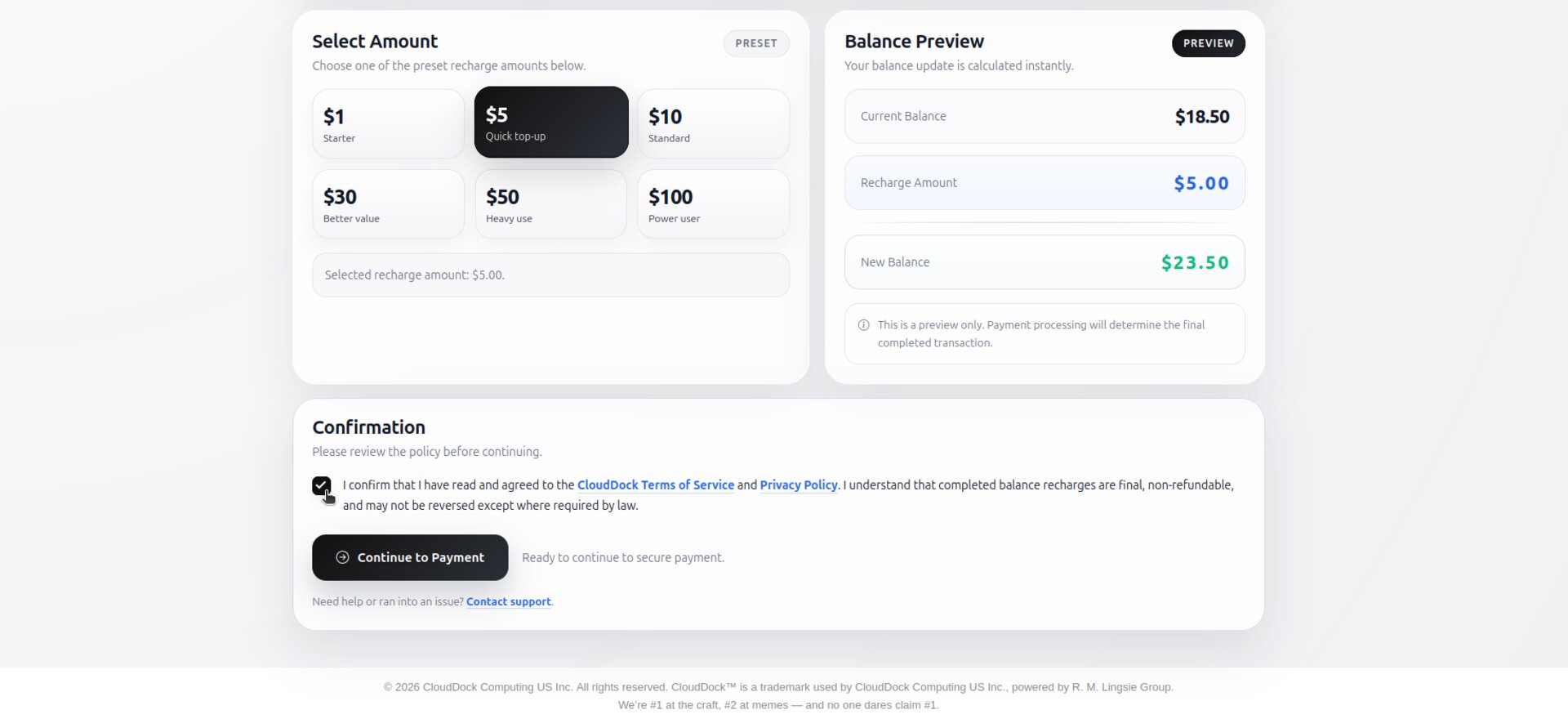
After confirming the corresponding account and recharge amount again, click "Continue to Payment".
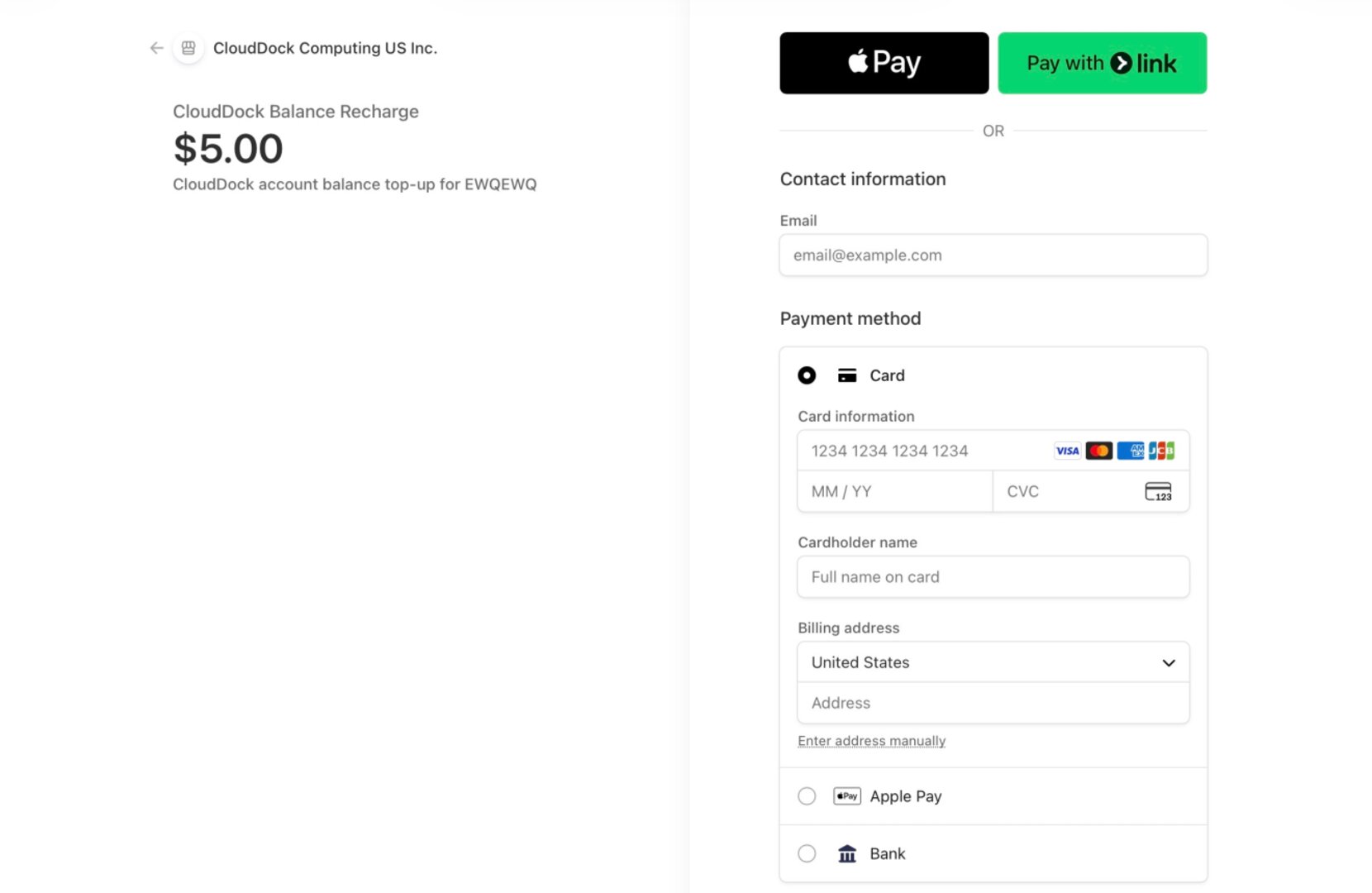
You will be redirected to the payment interface to complete the payment.
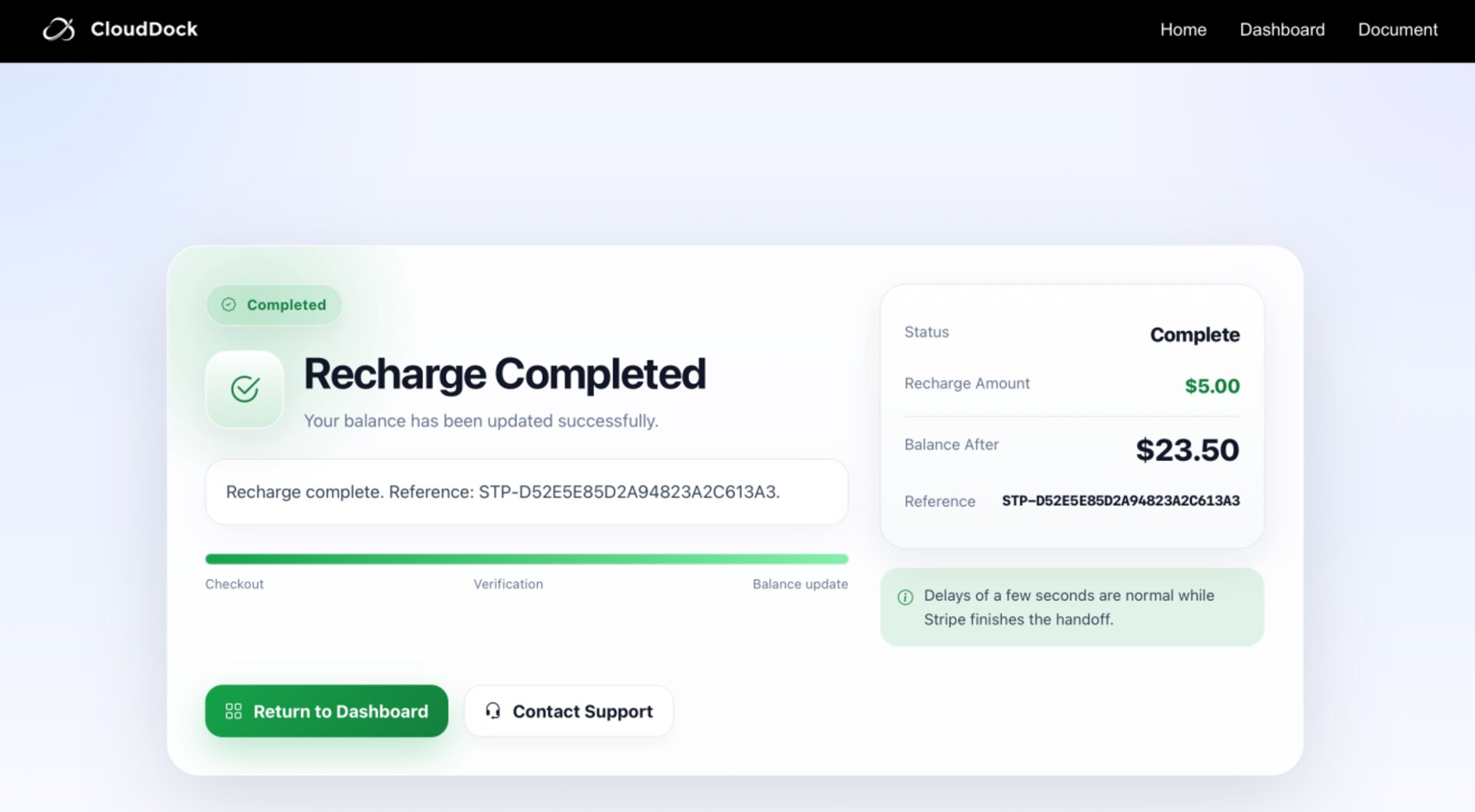
Wait for the recharge to arrive successfully, then click "Return".
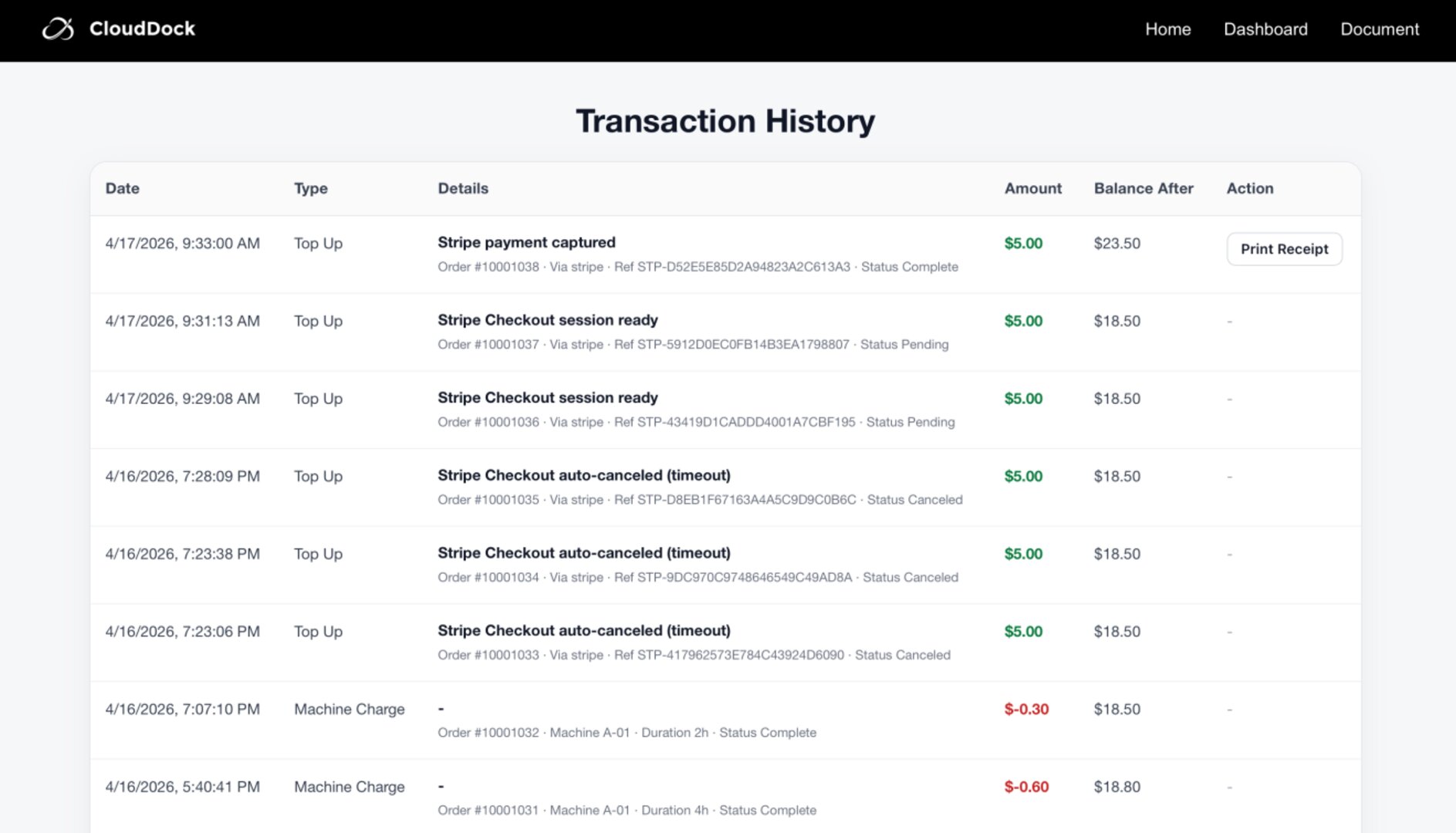
Check your balance. If you need a receipt, you can print it yourself.
Thank you for your trust and support. We wish you a pleasant experience with CloudDock!